
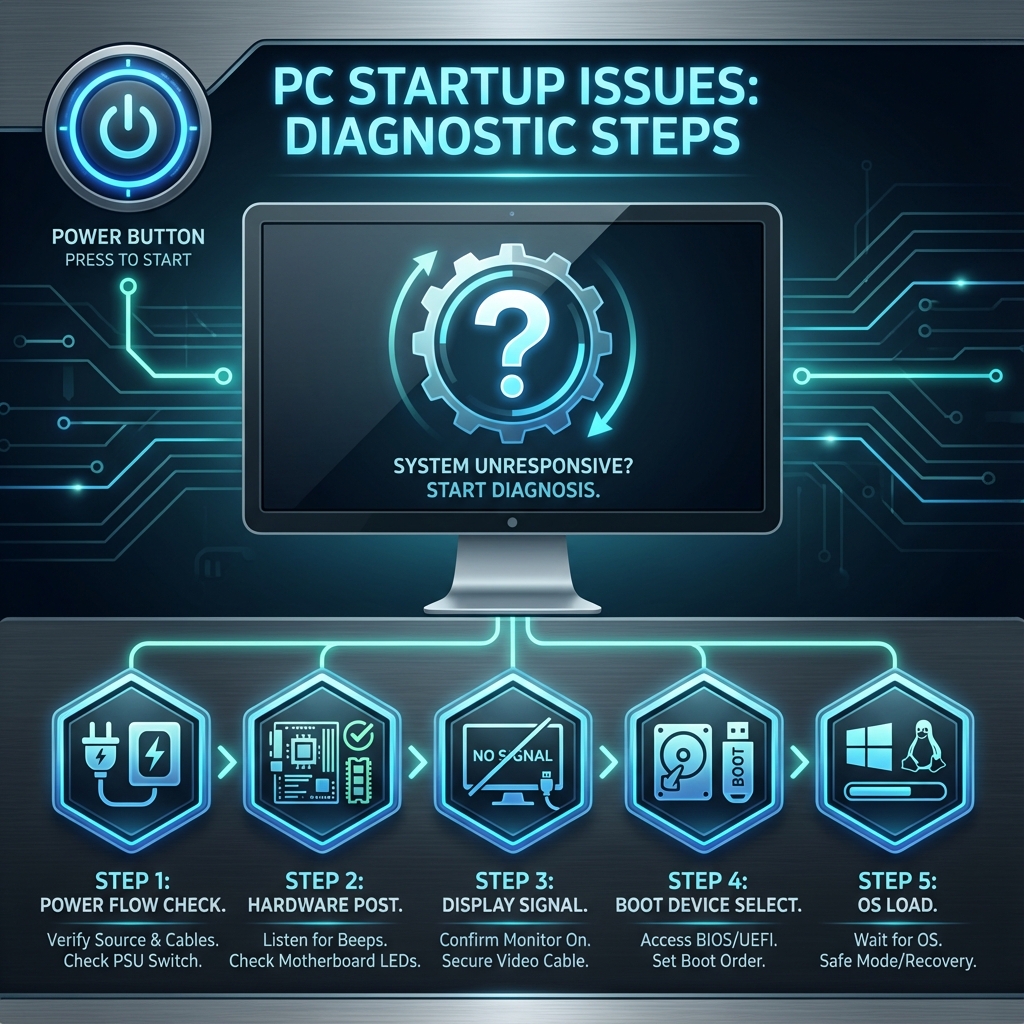
There is nothing more frustrating than pressing the power button and... nothing happens. Whether it's a completely dead system, a spinning fan with a black screen, or a Blue Screen of Death (BSOD), startup issues can stop your work in its tracks.
At banwow.com, we fix hundreds of computers in Surat every month with these exact symptoms. This guide will help you understand what might be wrong and when to call a professional.
Common Symptoms
- No Power: No lights, no fan noise, absolute silence.
- Power but No Display: Fans are spinning, lights are on, but the screen remains black.
- Boot Loop: The PC turns on for a few seconds, shuts down, and repeats.
- Blue Screen (BSOD): Windows starts to load but crashes with a sad smiley face :(
Top Causes
Why does this happen? Usually, it comes down to one of these culprits:
- Power Supply Failure (PSU): The most common cause. If your PSU is dead, nothing gets electricity.
- RAM Issues: Loose or faulty memory sticks can prevent the system from posting (showing a display).
- Motherboard Failure: A short circuit or blown capacitor on the main board.
- Corrupted Windows: Software errors preventing the OS from loading.
Quick DIY Fix
Try a Hard Reset: Unplug the power cable (or remove the laptop battery), hold the power button for 30 seconds to drain static charge, plug it back in, and try turning it on.
When to Call an Expert?
If the hard reset didn't work, dealing with internal hardware can be risky. You could accidentally zap a component with static electricity or bend CPU pins.
Warning
Opening a power supply unit (PSU) is extremely dangerous due to high-voltage capacitors. Never attempt to repair a PSU yourself.
How Banwow Fixes It
Our technicians carry specialized testing tools to your home:
- PSU Tester: To instantly check if your power supply is delivering the right voltage.
- Spare Parts: We bring test RAM and Graphics Cards to swap and identify the faulty part.
- Board Repair: For laptops, we offer chip-level motherboard repair services.